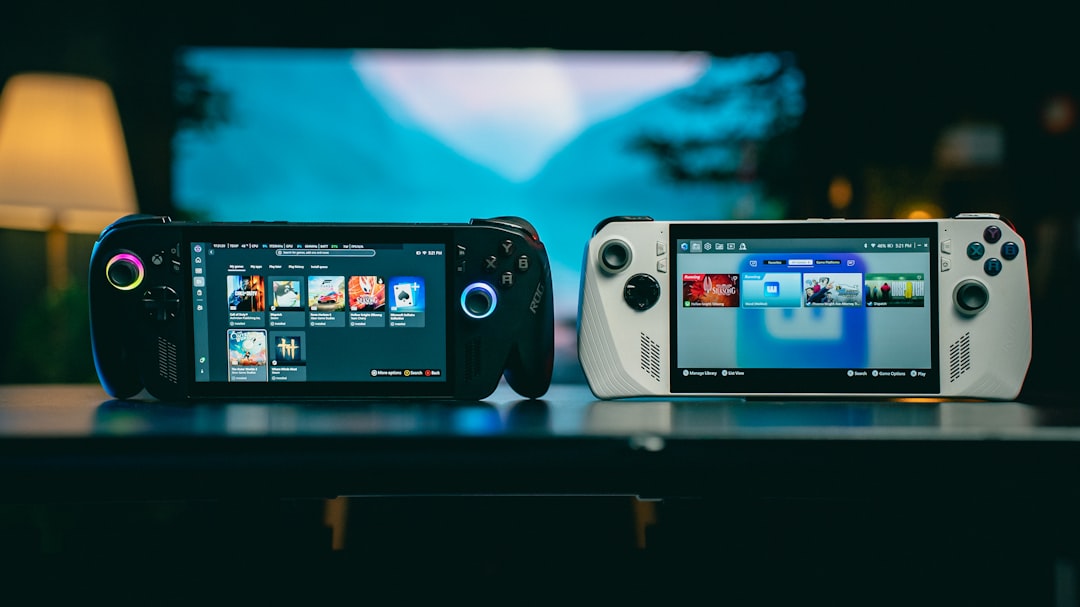


You are not wrong if your brain immediately jumps to battery life when the next console launch hits the radar. Launch week for a new handheld is always a mix of excitement and tiny logistics, especially when you already own at least one older version in your house.
On this round, Nintendo's latest Direct update has moved many players from hype-mode into planning-mode. The Direct page now points to a fresh software and platform direction for Switch 2, and that changes what matters in the first two weeks more than it changes your social feed.
If you are planning for an upgrade or waiting for a hard decision, this is not a list of rumors or hype cycles. It is a practical way to make your time, storage, and money pull their weight once those first launch weeks start.
The practical signal in the latest handoff
The new Nintendo Switch 2 announcement set is focused on practical questions: what launches with the machine, what the platform is positioning around, and where players should spend their attention once the first updates arrive. The official direct page at Nintendo's official announcement already gives the core direction and the announced software names, which is enough to plan your week without guessing.
For a first week, your question is not which game is "the best." It is whether you can set up your ecosystem so that your launch week feels smoother than your usual day one scramble. That includes:
- confirming one charging habit for long sessions
- setting aside enough card storage for one game plus your essentials
- checking family or shared account settings before you need them
Notice what this list omits on purpose: no one should build a full launch plan around random leaks or third party timelines they cannot verify yet.
Build your first two weeks in layers, not in panic
Before launch day, many players do this well without realizing they did it: they make a top-three list. The trick is to keep your list practical and reversible.
Layer 1: Hardware and account readiness
Start by treating your console like a small workstation. You are not buying a toy. It is still a device with a dock, controllers, network settings, and a user profile system that can hold you up for 20 minutes if set wrong.
Use the official system page to verify the core setup details and model framing before you rush any accessory purchase. Nintendo keeps current launch framing on the Switch 2 product page, so you can confirm how the platform is being described at launch and avoid buying to outdated assumptions.
For accessories, check whether they were introduced in the same launch lane as the hardware. If you are considering third party add-ons, do that after your first update pass. If your old chargers and cables still work in your setup, run with them. If not, add only what you truly need.
Layer 2: Storage and update pace
Handheld launch weeks often break at storage boundaries, not performance boundaries. A clean setup starts with one clear rule: install one multiplayer or one single player title first, then test storage again before moving on. This avoids the classic failure mode of ending up with ten half-downloaded titles that all demand updates.
Official specs and support notes, while not entertainment reading, are useful here. Nintendo support has a technical landing for Switch 2 specifications at the official Nintendo support page. You do not need to memorize every line. Read it enough to know the storage and migration points that affect your routine.
If your current workflow is to move large assets through a fixed cloud bucket and then clean up manually, set a hard cap for week one. You can always go deeper when your first update pass is done.
Day-to-day priorities that usually work
For most players, this rhythm performs better than a full launch checklist.
- Day 1 and 2: complete setup, profile sign-in, and one test session on a title that is already announced and visible on the launch slate.
- Day 3 to 4: decide your second title based on battery comfort and family availability, not release date pressure.
- Day 5 to 7: reduce active titles to two, then play one session each day to judge comfort.
- Week 2: install a long-form title only if storage and power habits are stable.
That sequence sounds boring on purpose. Boring is exactly why it works. Hardware first games later beats games first hardware panic.
One final note for the player who wants to compare: you are not locked into one launch path. Nintendo Direct updates are useful because they clarify the official lane, but they do not erase your right to slow the pace. In fact, slowing down usually reveals whether the platform is fitting your play style or just fitting your announcement pulse.
Simple rule: spend less than ten minutes deciding where your launch week energy goes, then spend the rest of the week playing it.
The Nintendo Switch 2 launch sequence rewards players who can decide less and enjoy more. If you are not sure where to begin, make your own one-page plan tonight, then adjust after day two, not after day twenty.
If you have questions about this lane or you want a cleaner practical setup list for your specific usage pattern, share what you are prioritizing and we can narrow it down in one pass.
What to cut from your launch plan
There is one more move that makes a bigger difference than most people expect: remove your assumptions about what you must do in the first week. Many launches die by over planning, not by under planning. You do not need a full accessory stack, a perfect cloud workflow, and a perfect sleep schedule on day one.
Keep the frame simple:
- one main title for the first session
- one backup for backup battery and network stability
- one profile/account task per day
Each removed assumption reduces friction. If your setup is smooth on day two, you can add deeper customization in week two. If your setup is messy on day two, stop and strip it down instead of adding more tasks.
The practical result is a launch routine that still feels like play, not a production sprint. That is the main advantage of using an announcement-based plan with explicit constraints. You start with the knowns, like official game direction and hardware details, then build around real play habits.