

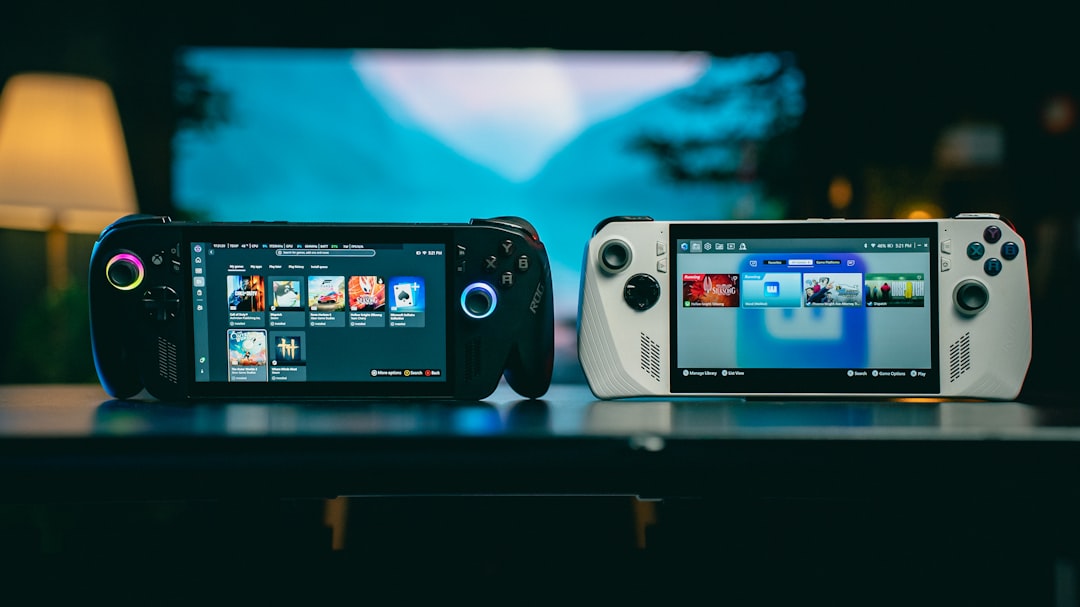
It is late evening and the phone is already open to three tabs, each with a different handheld rumor page. If you have ever done this, you are not alone. The launch window for a new device always feels like the moment when enthusiasm outruns clarity, and the ASUS ROG XBOX Ally X20 is no different.
What makes this one different is that ASUS has already gone official on preorders, and the post itself does not need to guess at release status. The pre-order page confirms that the product is open for ordering and that you can buy it either standalone or with a bundle. The same messaging also points to a mid-September window for being on sale, with final pricing and availability varying by region. That kind of clear launch framing is newsworthy for Handhelds because you can plan, not speculate.
The same page links to the formal hardware page where ASUS explains what has changed and how. The product landing page positions the ROG XBOX Ally X20 as a premium handheld upgrade with a 7.4 inch Nebula HDR OLED panel, AMD Ryzen AI Z2 Extreme, and display features like 1080p at 120 Hz with FreeSync Premium Pro support. ASUS also frames the display side as a major part of the device story and calls out Windows 11 compatibility, so this is very much aimed at users who actually want to play longer, not only by unboxing once.
Why this launch is worth covering this week
Handheld spaces move fast, but not all announcements are created equal. In the last month, many posts in this feed have been launch-date plans for specific games and console launches, which can make every new hardware article sound like a remix of the same checklist. That is why the X20 matters. It is a named pre-order in an official manufacturer channel, with a defined product identity and specific technical points. That is enough to separate it from rumor noise.
It is also the first in its line that openly anchors a launch path around multiple ecosystems. The product ties into Xbox mode, supports X Cloud access through Game Pass, and leans on gaming PC flexibility in a way that matters for real players. If you wanted a general spec sheet summary, this would still be underwhelming fluff. If you are deciding where to put your pre-order money, it is exactly the opposite: a practical decision point.
The practical readiness checklist, written for people who do not want to be annoyed later
Most launch notes overpromise and underdeliver on the boring part of buying: whether your setup can survive day one. The goal here is simple. Do not decide based on adjectives and social media banners. Decide based on whether this device fits your play habits and maintenance routine.
1) Are you chasing specs or chasing reliability?
ASUS is explicit about several visible specs and software position points. A few will matter a lot more than others.
- Display first: a 7.4-inch OLED panel and FreeSync Premium Pro with variable refresh support can help smooth rendering if your game mix does not sit at unstable low frame rates.
- CPU class: Ryzen AI Z2 Extreme points to stronger AI and graphics headroom than older handhelds in the lineup, but it will only help if you run games and settings that scale with that headroom.
- Windows 11 layer: official pages describe the X20 as a Windows-based setup, which affects which peripherals, launchers, and power workflows you can use.
If your current setup is mostly casual and you mainly do local couch sessions, do not buy raw horsepower because a brochure says so. Buy for the type of use you will repeat.
2) Build your shopping plan around your real budget, not launch adrenaline
The pre-order page keeps the price and availability language tied to region, and that is an important clue. ASUS page templates often use a global baseline with territory-based variation. If your local storefront differs from the first number you see in a clip, this is where people get confused.
Before checkout, write down two numbers: a firm hard max and a soft max. If your budget leaves no room for regional tax, warranty extension, and a dock you did not budget for, you will hate the first week after launch, even if the unit itself is brilliant. Regional variation in pre-order offers means a local price check matters as much as headline specs.
3) Confirm charging and cooling expectations now, not after the first battery dip
Handheld planning is usually dominated by screen size, then performance, then battery life. On launch day, reverse the order.
Start by asking how long you usually play per session and whether the unit can support that with realistic heat and fan behavior on day one. A device can look fast in demos and still need a workflow shift in your stack. If you plan to stay mobile for long sessions, you need a clear nightly routine: surface-level firmware checks, thermal profile sanity checks, and storage cleanup before heavy titles. If you do not, the novelty can decay into frustration during the first week.
4) Test compatibility mentally before it hits your cart
ASUS emphasizes cloud and ecosystem features, but nobody should treat those lines as a guarantee that every game, every subscription, and every peripheral combination will behave identically at release.
Before pre-ordering, run a simple compatibility plan:
- List your top five current handheld games and note which title has the strictest control or graphics requirements.
- Check which of those titles need repeated patch cycles and patch notes before each major title update.
- Map each game to your preferred control style and the storage or streaming model you use.
- Set up your launch target: local play, docked play, cloud first, or travel-first.
That plan costs a few minutes and saves you from buying a premium piece of hardware for the wrong launch profile.
5) Decide your launch day sequence before 9:00 a.m.
Any console and handheld launch has one thing in common: people lose hours because they do not set a plan for day one. The X20 is still at an easier stage because you can prepare now while waiting for mid-September.
Do this in order:
- Book your payment method and shipping address in advance.
- Clear your preferred game launcher cache and backups so firmware and app downloads do not slow your first setup.
- Set your first display and power profile before playing for more than twenty minutes.
- Hold the first patch windows and cloud login outside of your commute hours to avoid network surprises.
- Keep accessories minimal for the first weekend. Add docks, extra controllers, and external cooling only after initial stability checks.
This sequence has less to do with hype than with reducing regret.
What to watch after pre-order and before delivery
Most launch mistakes are not technical at first. They are communication mistakes.
The pre-order page already tells you the framing: availability shifts by region, and pricing may vary. The safest move after placing the order is to monitor the official storefront and product page for any update about launch shipping, bundle composition, and firmware notes. That keeps your expectation window honest and avoids surprise arguments with yourself when an accessory is delayed.
Use the product page as your canonical reference for hardware claims and software framing. Even if the review headlines spike early, the source of truth for what was promised is still the manufacturer page and the preorder communication.
How this differs from previous launch-week posts
Recent launch posts in this feed have leaned toward game-date planning and checklist style summaries, often centered on first-week play habits. The X20 article is different because it is about buying behavior more than launch-day panic. That means the real job is to compare ASUS language with your current stack, then decide if that stack can absorb a new premium handheld.
If your current routine is built around one game library, one cable setup, and no cloud subscription dependencies, this device could still be a strong move. If you are shopping to chase every spec headline and then hoping your old workflow fits, you may need another day before clicking.
A cleaner pre-order strategy
Here is the summary that saves time. Write these down before you click:
- Confirm official status: pre-orders are open, not merely discussed.
- Verify display and platform targets: OLED and display refresh claims matter if you care about motion quality.
- Map your budget and region: final pricing can vary by market.
- Prepare compatibility plan: list top games and define your first launch profile.
- Set launch-day steps: shipping, firmware, power profile, and storage prep in order.
ASUS has already done the heavy part by putting the launch in writing. What you do now is decide whether this unit solves an actual need in your queue or only solves a Friday night scroll. The difference between a good purchase and a regret purchase is usually the same one: clarity before excitement.
If you want a concrete path right now, start with your own usage list and compare it with the official pages linked above. If your usage map is clear and aligned with what ASUS promises, the Ally X20 can be a thoughtful upgrade to your travel and couch setup. If not, let the offer window stay open and keep the money in your card lock screen until your next purchase round. No one loses points for waiting when they are buying electronics in September.